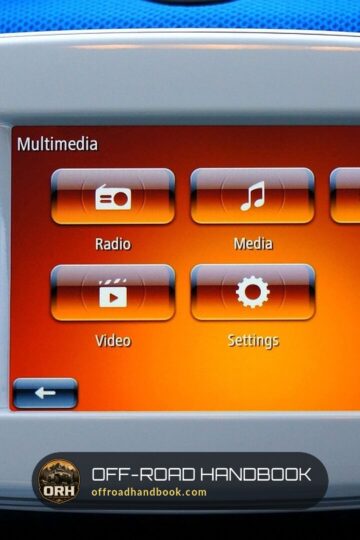
Jeep Grand Cherokee USB Port Not Working? Causes and Fixes
Last updated on October 26th, 2026 at 07:53 pm
This post contains Amazon affiliate links. As an Amazon Associate I earn from qualifying purchases, at no extra cost to you.
A Grand Cherokee USB port that stops working is usually a cable, a phone setting or a Uconnect software hang, not a failed port. Stellantis’s own dealer notes say many USB hubs returned under warranty had nothing wrong with them. Work through the checks below in order and stop at the first one that fixes it.
Which checks apply depends on the body style. The older WK (built through 2021) and the newer WL (2021 and newer, including the Grand Cherokee L) have different fuses and different service bulletins. The table and checker below sort that out.
Grand Cherokee USB problem: symptom, likely cause and first check
Match what the port is doing to the row below. Every row names the document it comes from. Rows marked as shop practice are not from a Jeep source.
| What you see | Likely cause | First check |
|---|---|---|
| Charges the phone but no music, CarPlay or Android Auto | An aftermarket cable, a charge-only port or a phone setting | Use the factory or certified cable in a front media port. Tech tip 9003637 says not to replace the hub before this check. |
| Message: “Another device is in use through the same USB port” (2022 WL) | Both the USB-C and USB-A front ports are in use | Unplug one device. The manual says the two ports cannot play media at the same time. |
| Phone is not recognized after its battery went flat | The phone needs a minimum charge before it talks to Uconnect | Leave it plugged in for a while. The 2022 WL manual describes this. |
| Rear or third-row ports will not play media | They are charge-only ports | Use them for charging only. The 2022 WL manual calls them charge only. |
| All front ports dead, 2021 WL built on or before July 9, 2021 | Front media hub software (bulletin 08-115-21) | Ask a dealer to check the VIN. The software update is listed at 0.3 hours. |
| USB playback or wired CarPlay stops, 2022 WL | Radio software (08-160-23, replaced by 08-014-24) | Ask a dealer for the radio software update. |
| USB, SD and AUX all dead, 2015 WK built Feb 22 to Apr 5, 2015 | Vehicle reconfiguration (08-045-15) | Dealer scan-tool procedure, listed at 0.2 hours. |
| Port lights stay on after the Jeep is off | Normal charging feature, up to 60 minutes (S1708000118) | Unplug devices and wait an hour. Do not replace a port for this. |
| Works only when the cable is moved | Lint in the port or a worn cable (shop practice, and step 4 of case S238A000034) | Clear the port with a plastic pick or air. Try another cable. |
The bulletins are dealer documents. They are not recalls, and they do not promise free repairs for every Jeep. Whether a repair is covered depends on your VIN and on the warranty.
The checker below turns the same sources into a list for your Jeep. It cannot read codes, so treat its order as a starting point.
USB problem checker for Grand Cherokee WK and WL
Pick your body style, what the port is doing and which cable you use. You get your checks in order: free ones first, then tools, then the dealer.
Every step comes from the manuals, the bulletins or the Stellantis case notes linked in this post. Steps from shop practice say so.
The checker does not diagnose anything on its own. It keeps you from paying for a hub before the free causes are ruled out.
If it points to the dealer, take the bulletin numbers with you. A service writer can look a VIN up in minutes, and the Stellantis notes ask for these same checks before a hub is replaced.
Which Grand Cherokee USB ports play media and which only charge
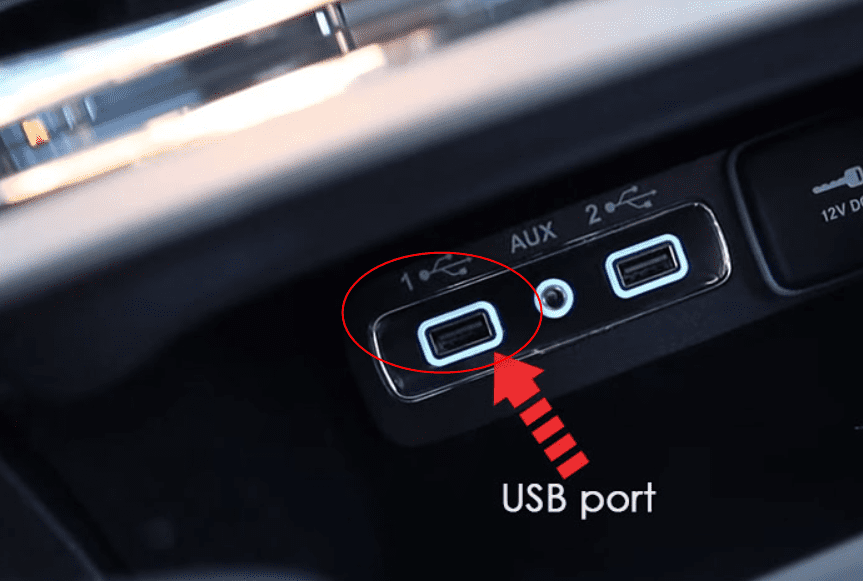
Many “dead port” complaints come down to using the wrong port. Only the front media ports carry data. Rear and third-row ports are built to charge.
If your Jeep has the rear dual USB charge port, Stellantis lists it under sales code RS4. The front media hub with SD, USB and AUX is sales code RSF.
| Port | Plays media or CarPlay? | What the sources say |
|---|---|---|
| Front media hub, WK (through 2021) | Yes | The 2018 manual says to connect an iPhone or Android phone to “one of the media USB ports” with the factory cable for CarPlay or Android Auto. |
| Front USB-C and USB-A below the climate controls, 2022 WL | Yes, one device at a time | The manual lists USB-C, USB-A and AUX there. Messages appear if both ports are used. |
| Rear dual USB charge port, sales code RS4 | Charge only | Stellantis names the code “dual remote USB port – charge”. |
| Second-row ports, 2022 WL | Charge unsupported devices only | The manual says to charge with the charge-only ports. A media port shows a “not supported” message. |
| Third-row ports, 2022 WL | Charge only | The manual says these ports are charge only. |
The manuals do not give a size or file-format limit for USB sticks. Figures you may see online, such as a 32 GB cap, are not in either manual. Check your stick and phone on the Uconnect compatibility site that Stellantis names.
A phone that charges but will not run CarPlay is usually the cable, not the port. That is where the checks start.
Check a dead Grand Cherokee USB port in this order
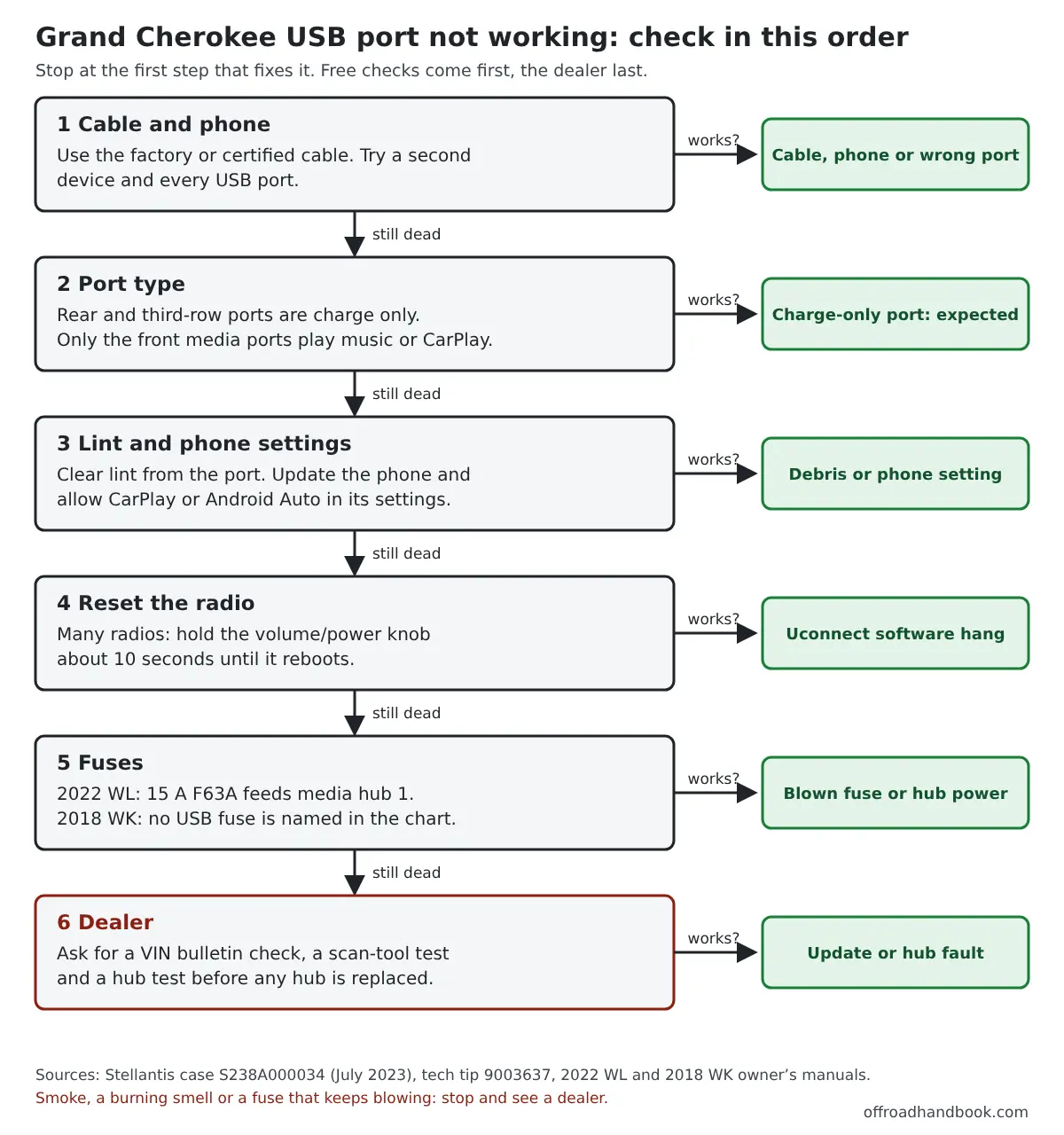
The order follows the diagnostic list in Stellantis case S238A000034. It starts with the cable and ends with the hub and the fuse. The cheapest checks come first on purpose.
Each step below says what it is based on. Where the manuals are silent, the text says so instead of guessing.
Step 1: Swap the cable, the phone and the port
Cables fail more often than ports. Stellantis tech tip 9003637 covers model years 2017 to 2021. It says CarPlay and Android Auto may not run on an aftermarket cable and tells technicians to try an original Apple or phone-maker cable before touching the hub.
The 2018 manual also says to use the factory-provided cable. If you need a spare to test with, here is a search for an Apple-certified cable on Amazon. Confirm it is certified before you buy.
Then try a second phone or a known-good USB stick in each port. If one device works and the other does not, the Jeep is fine.
Step 2: Check the port type and the message on the screen
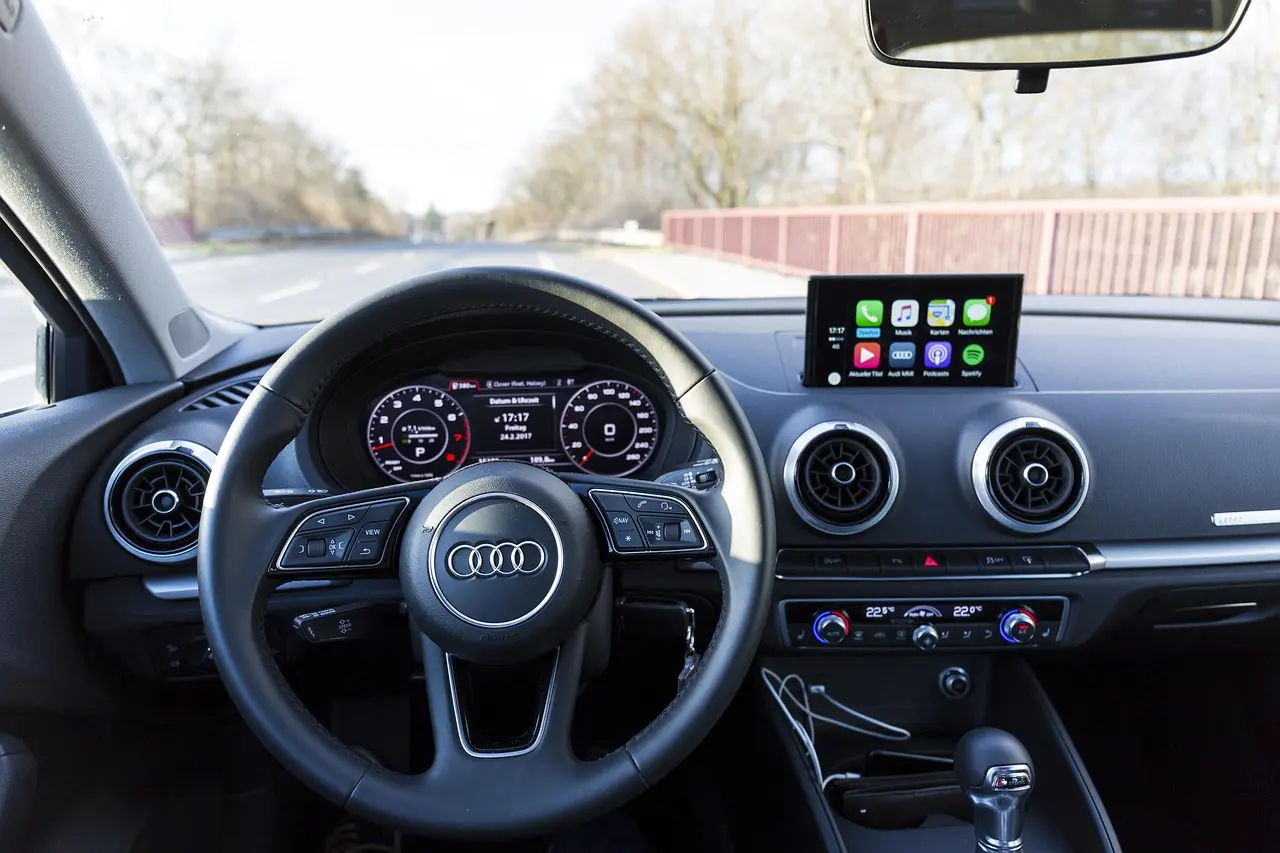
Use a front media port for music and CarPlay. Rear and third-row ports only charge, so a phone there will never show up in Uconnect.
On a 2022 WL, plugging a device into both front ports can pop up “Another device is in use through the same USB port.” Unplug one device. The manual also says a phone that was fully discharged may not talk to Uconnect until it has a minimum charge.
Step 3: Clear lint and check the phone
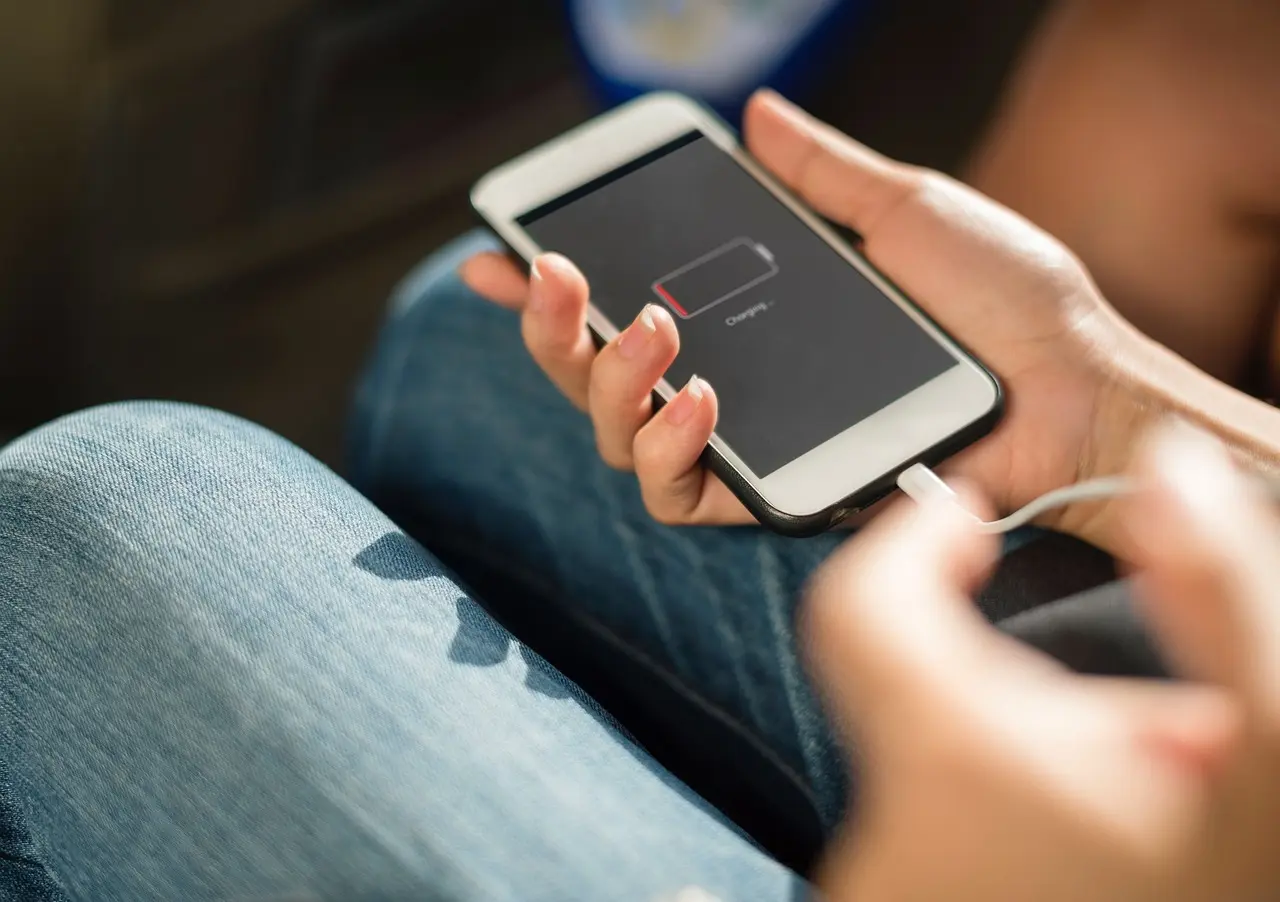
Stellantis lists lint in the device port as a known cause of cable problems. Look into both the Jeep port and the phone port with a flashlight. Use a plastic or wooden pick or a puff of air. Never use metal in a port.
If you want air for the job, here is a search for compressed air duster on Amazon.
Then check the phone. Case S238A000034 says to update the phone and to make sure CarPlay or Android Auto is allowed. On an iPhone that is Settings, Screen Time, Content and Privacy Restrictions, Allowed Apps. On Android it is Settings, Android Auto, Connect vehicle.
Step 4: Reset the radio
The same Stellantis case says to reset the radio as the service information describes. Its example is that on some radios you hold the volume or power knob for 10 seconds until the radio reboots.
Neither owner’s manual covers a reset. Other methods circulate online, such as holding the steering-wheel phone and voice buttons for 30 seconds. No Jeep document linked in this post lists them, so treat them as unverified.
After the reboot, turn the Jeep off, open and close the driver door, wait a minute and start it again. Then retest the port. That door cycle is shop practice, and a 2015 bulletin uses a similar wait to let modules go to sleep.
Step 5: Check the fuse for your Jeep
Fuse numbers for USB differ between the two body styles, and many numbers repeated online are for other circuits. Use the chart in your own manual or on the fuse cover. Replace a fuse only with the same amperage, and have a shop find the cause if it keeps blowing.
On the 2022 WL, the owner’s manual lists the front media hub and front dual USB port on a 15 amp fuse, F63A, in the interior power distribution center under the steering column. The 2021 bulletin has dealers pull that fuse for 5 seconds and refit it as part of the hub update, so it does cut power to the hub.
| Body style | Fuse | What the manual says it feeds | Where |
|---|---|---|---|
| WL | F63A, 15 A | Media hub 1 (front), front dual USB port, wireless charging pad module | Interior center, under the steering column, driver side |
| WL | F13, 10 A | Rear dual USB port, shared with the rearview mirror and interior monitoring camera | Interior center, under the steering column, driver side |
| WL | F23, 10 A | Media hubs 2 (rear right) and 3 (rear left) | Rear center, under the passenger seat |
| WL | F36B, 10 A | Console USB port (charge only) and rear dual USB port | Rear center, under the passenger seat |
| WL | F58, 15 A | Third-row extra USB charge (left and right) and console USB port (charge only) | Rear center, under the passenger seat |
| WL | F70, 10 A | Video routing module and instrument-panel USB port (charge only) | Rear center, under the passenger seat |
| WK (2018) | None named | The 2018 chart does not list a USB or media hub fuse. F104 (20 A) feeds the 12-volt outlets in the instrument panel and console. | Engine compartment, near the battery |
In the 2018 WK chart, F66 is the sunroof, passenger window switches and rain sensor, F67 is the hands-free module, F68 is the rear wiper motor and F80 is the garage door opener. Those numbers are sometimes quoted as USB fuses, but they are other circuits in that chart.
If the chart for your year shows nothing for USB, the fuse step is over. Go to the dealer step rather than pulling random fuses.
Step 6: Ask the dealer to check your VIN
Several Stellantis bulletins cover USB faults on specific years. They need a scan tool and software, so they are dealer jobs. Ask for the bulletin by number and have the VIN checked.
Case S238A000034 asks technicians to run the checks above before replacing a USB hub, because so many returned hubs turn out fine. That is a good reason to do the free steps first.
| Applies to | Bulletin | Symptom | What the dealer does | Labor listed |
|---|---|---|---|---|
| 2015 WK, built Feb 22 to Apr 5, 2015 | 08-045-15 | USB, SD or AUX media hub dead | Scan-tool vehicle reconfiguration and a door-and-sleep cycle | 0.2 h |
| 2021 WL, built on or before July 9, 2021 | 08-115-21 | Front media hubs dead | Software update from a flash drive in the front port marked 2 | 0.3 h |
| 2022 WL (Uconnect 5) | 08-160-23, replaced by 08-014-24 | USB playback or wired CarPlay stops, among other radio faults | Radio software update | See bulletin |
| 2023 WL (8.4-inch Uconnect 5) | 08-145-24 | Scroll knob dead on USB media, USB media jumps to SiriusXM | Radio software update | See bulletin |
The bulletin for 2021 vehicles was released as a rapid response campaign set to expire 18 months after July 9, 2021. Ask the dealer whether a newer fix replaced it.
This guide has no verified price for a hub replacement. Get a written quote from a dealer or shop, and ask whether a bulletin applies first, since a bulletin repair may be covered.
Why the USB lights stay on after you turn the Jeep off
Stellantis case S1708000118 explains this. Vehicles with the dual remote USB charge port (RS4) or the media hub (RSF) can keep charging a device, and keep the port lit, for up to 60 minutes after the ignition goes off. The case dates the feature from 2017.
The draw is about 36 milliamps. The case says not to replace the USB ports for battery drain complaints and to unplug anything connected before testing.
If the lights are still on well past an hour with nothing plugged in, or the battery keeps going flat, a dealer should measure the drain. A weak battery can also cause odd electrical faults, so see our guide on a Grand Cherokee that will not start.
Related Jeep infotainment problems
If the whole screen is frozen or blank, start with the Uconnect touchscreen guide. If only the sound is gone, see Jeep radio not working. A Wrangler owner can use the Wrangler center console USB guide.
Navigation that will not load on the same screen is covered in Grand Cherokee GPS not working. For trail trips, keep our free printable checklists handy.
FAQ
Yes on the 2022 WL: the owner’s manual lists F63A (15 A) for the front media hub and front dual USB port, plus other fuses for the rear and third-row ports. The 2018 WK manual chart names no USB or media hub fuse, so use the chart for your year.
Stellantis’s diagnostic list says to reset the radio as the service information describes. On some radios that means holding the volume or power knob for 10 seconds until it reboots. Then turn the Jeep off, wait a minute and restart.
Vehicles with the dual USB charge port or media hub can keep charging for up to 60 minutes after ignition off, drawing about 36 mA. Stellantis says not to replace the port for that.
The usual cause is an aftermarket cable, a charge-only port or a phone setting. Use the factory or certified cable in a front media port and make sure CarPlay or Android Auto is allowed on the phone.

I'm Suryashankar Dasgupta, the founder of Off-Road Handbook. I've been off-roading for years in the USA, including California and Texas, and have ridden mountain and desert terrain abroad. I've also driven a Jeep Compass for more than seven years, so I know the day-to-day side of Jeep ownership first-hand, from the Uconnect screen to the warning lights. Every guide here is researched from manufacturer owner's manuals, NHTSA recall and service-bulletin records and other trusted sources, checked against them before it is published, and corrected when we find a mistake. You can read how we work in our editorial policy: https://offroadhandbook.com/editorial-policy/
Like our off-road guides? Add Off-Road Handbook as a Google Preferred Source so our latest Jeep, ATV, UTV, trail, recovery, and off-road troubleshooting articles can appear more often in your Google Search experience.
Add us as a Preferred Source